Labor stays tied to repeat work
When people are still copying, checking, forwarding, and reconciling by hand, payroll gets spent on glue work instead of useful work.
Solutions
Manual handoffs, constant follow-up, and owner-only knowledge slow the team down. We build systems that take that extra work out.
What it costs
The problem usually is not one bad tool. It is the time, labor, and owner attention it takes to keep weak processes moving.
When people are still copying, checking, forwarding, and reconciling by hand, payroll gets spent on glue work instead of useful work.
Requests, approvals, and customer updates slow down when the next step lives in somebody's inbox, spreadsheet, or memory.
If the owner has to unblock jobs, answer routine questions, or check status by hand, the business is still too dependent on them.
Without one live picture of the work, it stays hard to see what is waiting, what is stuck, and where money is leaking out.
Where it shows up
These are the patterns that keep owners in the middle and teams doing too much work by hand.
Manual handoffs
Copying between tools, chasing updates, and checking status by hand drive labor up without improving the work.
Support load
If common questions, updates, and simple decisions always land on the team, response time and payroll both take the hit.
Fragmented operations
When the real picture lives across inboxes, spreadsheets, and apps, mistakes rise and owners spend time piecing answers together.
Website problems
If leads, requests, or intake come in messy, the team spends more time sorting, following up, and fixing bad information later.
What we build
Sometimes the answer is automation. Sometimes it is AI, custom software, a mobile app, or a website that stops creating extra work for the team.
01
When payroll keeps getting eaten by repeat work, we build systems that remove the handoffs, follow-ups, and admin the team should not be doing by hand.
02
When the same questions, drafts, lookups, and first-pass decisions keep landing on people, we build AI tools that handle the routine part without losing oversight.
03
When the real operation no longer fits inside generic software, we build software around the way the business actually works.
04
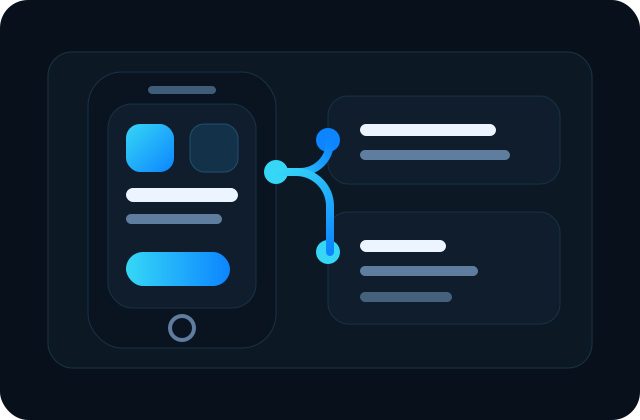
When the work needs to happen in the field, on the floor, or in the customer's hand, we build mobile apps that make the workflow usable away from the desk.
05
When the website creates bad intake, weak follow-up, or too much sorting, we turn it into a useful part of the workflow.
Integrations
We can keep the tools that still help, connect the ones that should share data, and replace the part of the stack forcing the workarounds.
If accounting, CRM, payments, or scheduling tools are doing their job, we can connect them instead of forcing a full reset.
When people are acting as the bridge between systems, we can automate the handoffs or build the missing layer.
The core workflow can become simpler and more controlled without throwing out every other part of the stack.
How we work
Bring the messy workflow, the spreadsheet, the inbox, or the workaround. When it helps, we like to see it in person and spot the friction the team has gotten used to.
01
You don't need diagrams, specs, or polished documentation. Show us how the work actually moves today.
02
We look for the handoffs, delays, owner dependence, and repeat work costing the business the most.
03
That might be software, automation, AI, integrations, website changes, or the mix that removes the extra work.
Next step
If a process takes too much labor, too much follow-up, or too much owner attention, that is enough to start.
Request a Meeting